
Buy Me A Coffee
Enjoying Grapefruit? Running this site and apps takes a lot of time and coffee. If you'd like to support the project, you can send any amount to my Till Number!
M-Pesa Buy Goods Till Number
Wilson Owino
Copied to clipboard!
Download Grapefruit
Get the ultimate streaming experience. Our native apps completely block all intrusive popup ads (you'll only see our non-intrusive banners).
Android (.apk)
Watch movies on the go with zero in-player popup ads.
Download APK1. Download the .apk file.
2. Tap to open it.
3. If prompted, select "Allow from this source".
4. Tap Install.
Windows (.exe)
The zero in-player popup ads desktop experience.
Download Installer1. Download the .exe file.
2. Double-click to run the installer.
3. Grapefruit will open automatically when finished!
Windows Installation Guide
Follow these simple steps after clicking "Download Installer" above.
Wait for the download to finish
The file is about 107 MB. Once it finishes, you'll see it in your browser's download bar or notification.
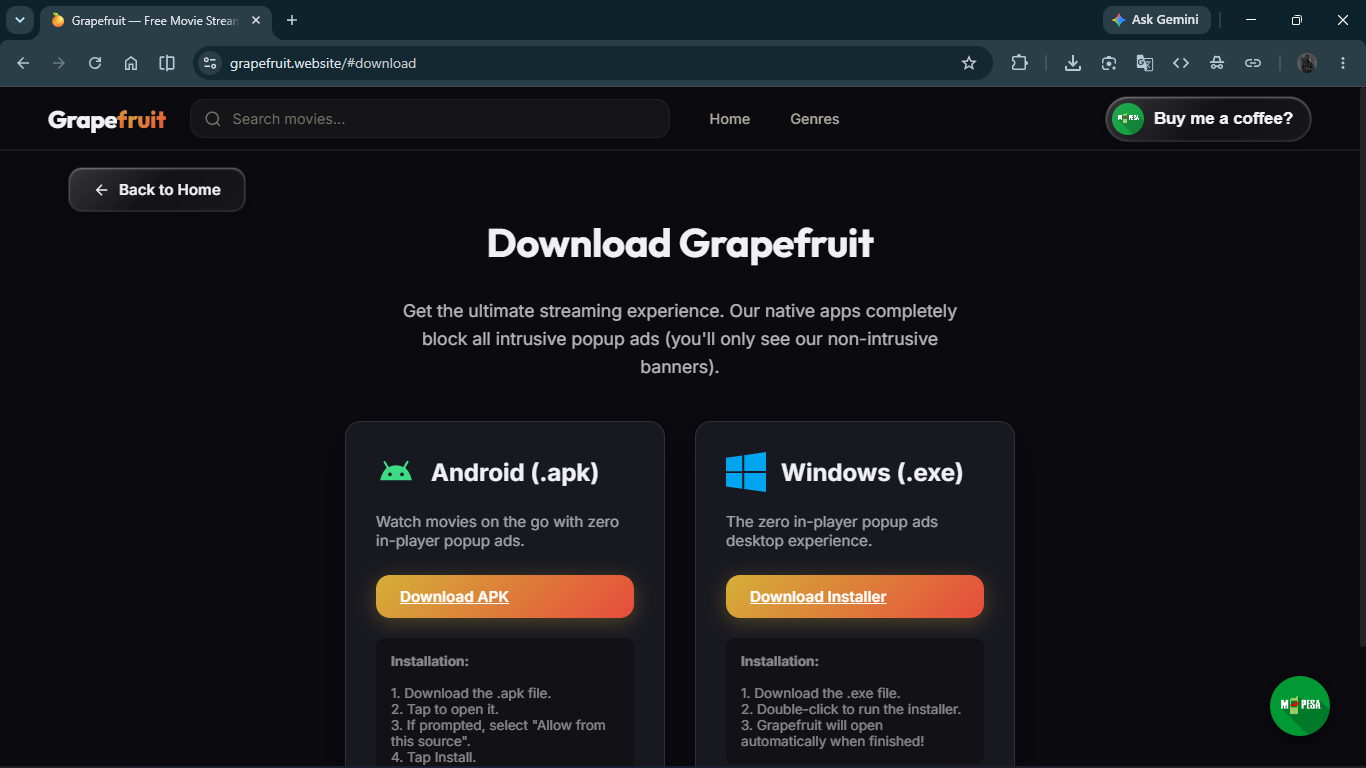
Open your Downloads folder
Click the folder icon next to the downloaded file to open your Downloads folder.
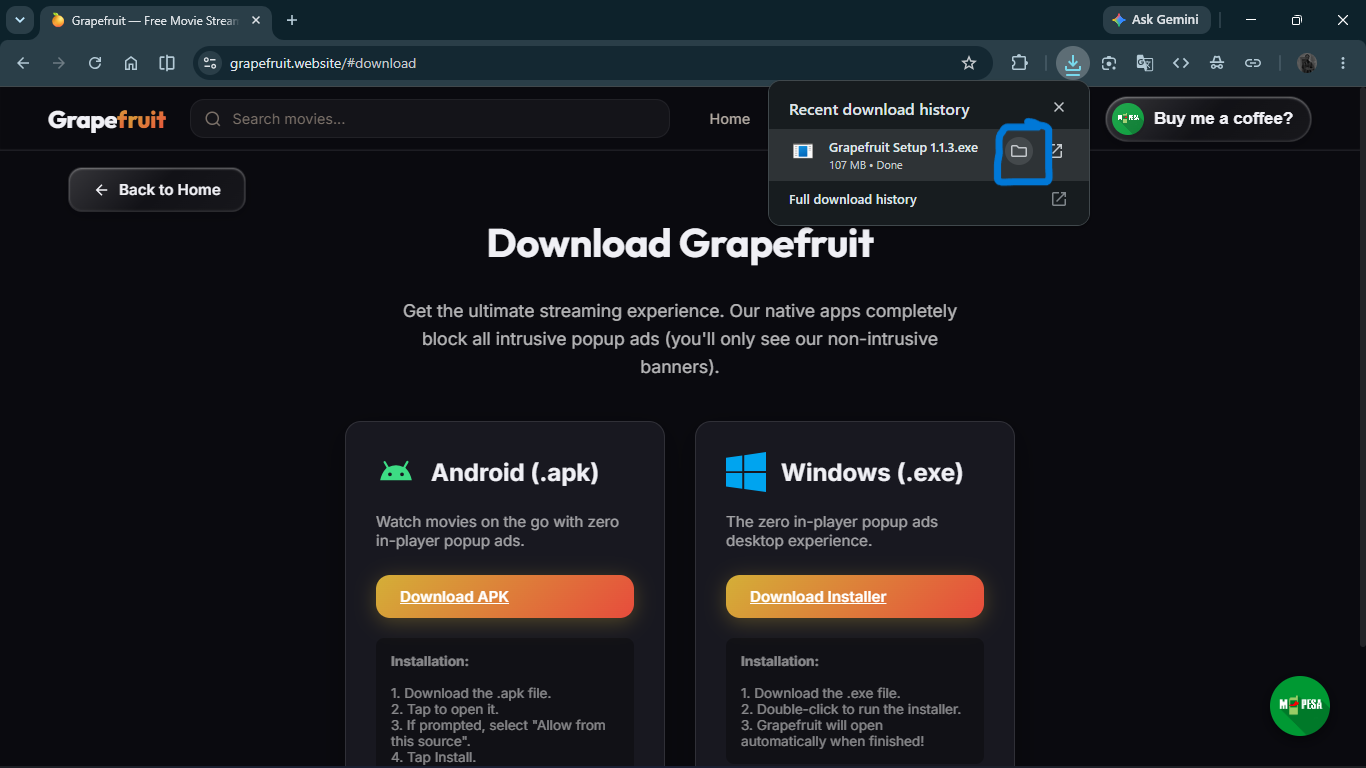
Double-click "Grapefruit Setup 1.1.3"
Find the Grapefruit installer icon in your Downloads folder and double-click it to start the installation.
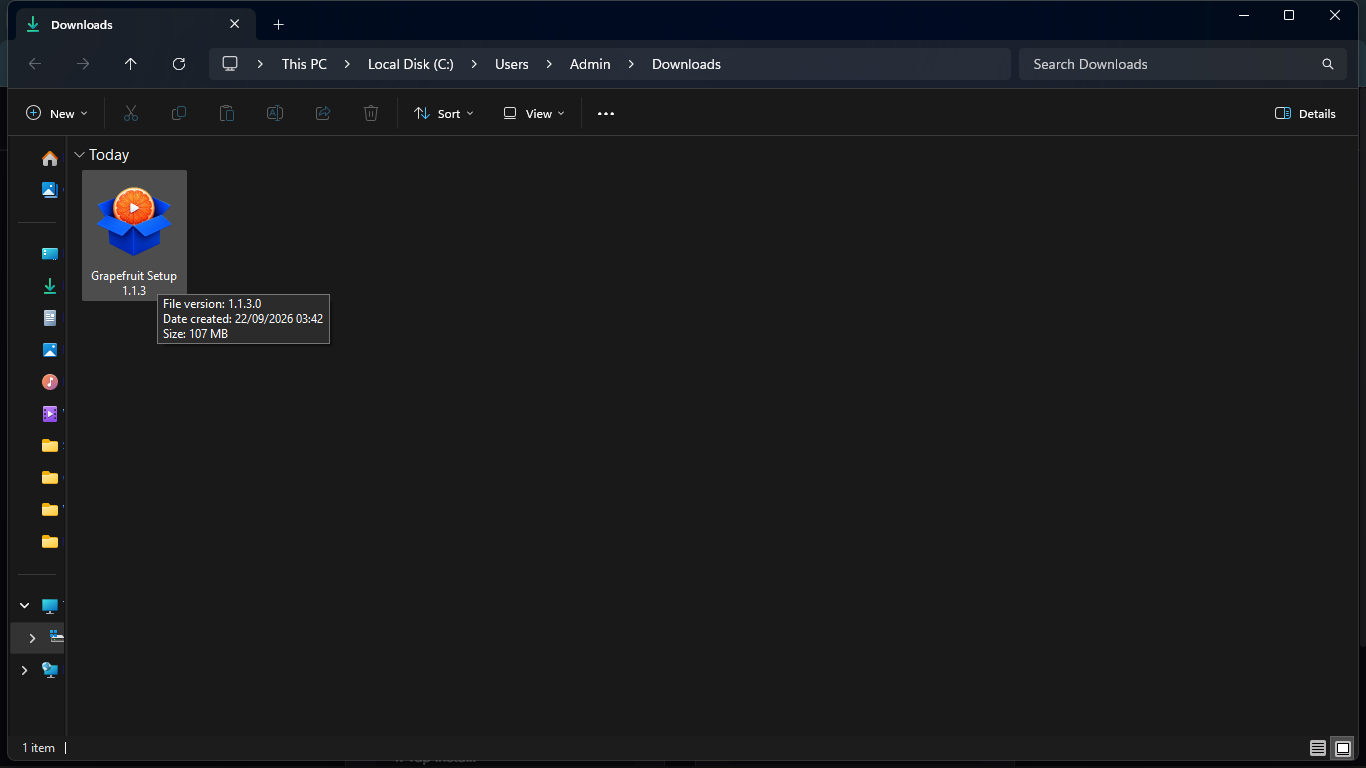
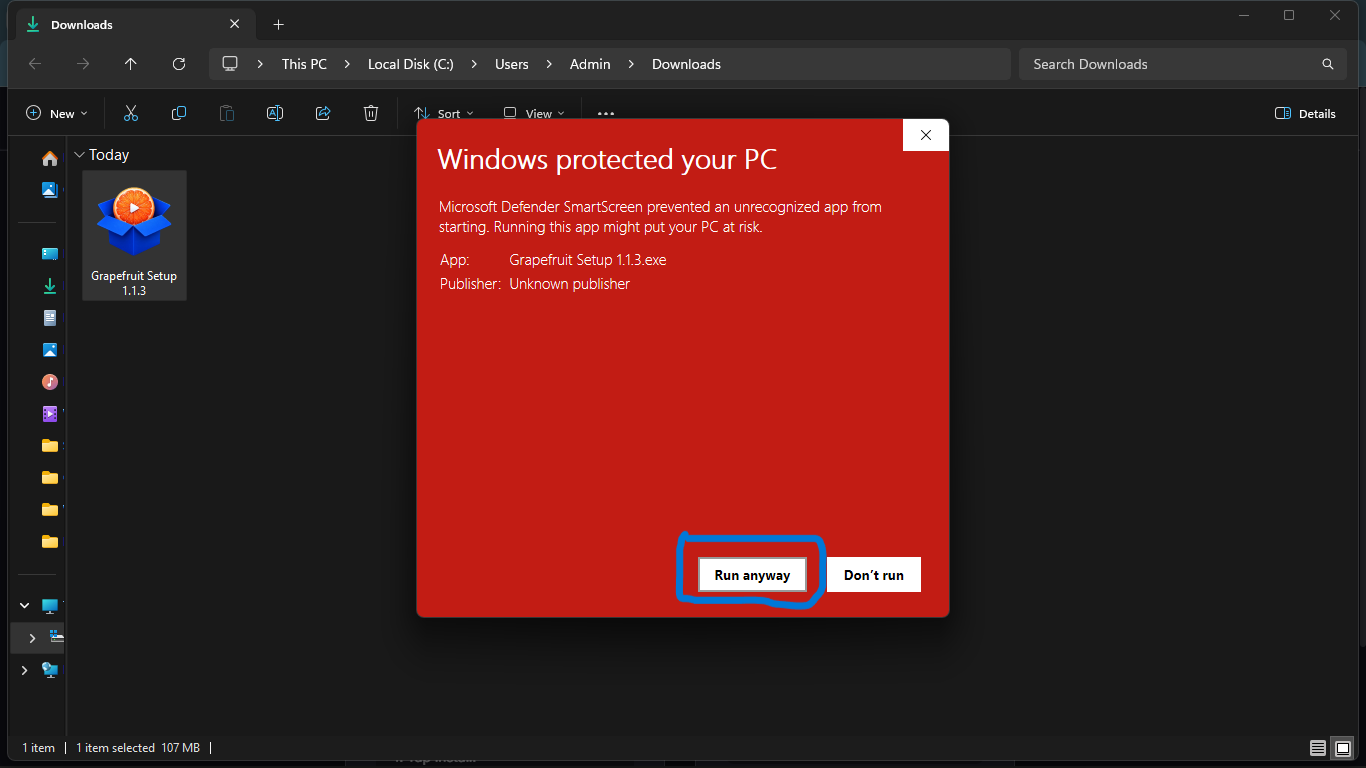
Windows Defender — Click "More info"
Windows may show a blue "Windows protected your PC" warning. This is completely normal for new apps. Just click the "More info" link.
Click "Run anyway"
After clicking "More info", a "Run anyway" button will appear. Click it to proceed with the installation.
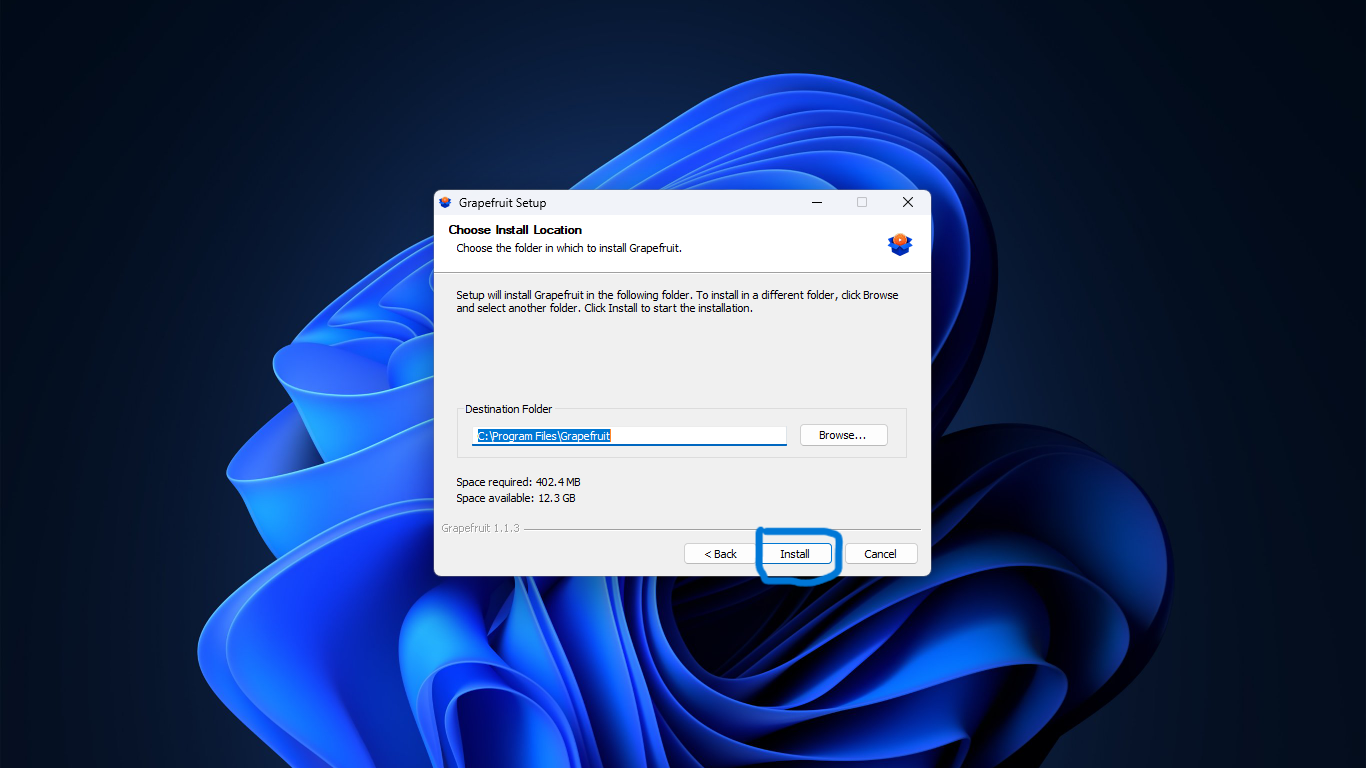
Click "Install" — You're done! 🎉
The Grapefruit Setup wizard will appear. Just click "Install" and wait a few seconds. Grapefruit will open automatically when finished!
That's it! Enjoy Grapefruit on your PC with zero in-player popup ads. 🍊